
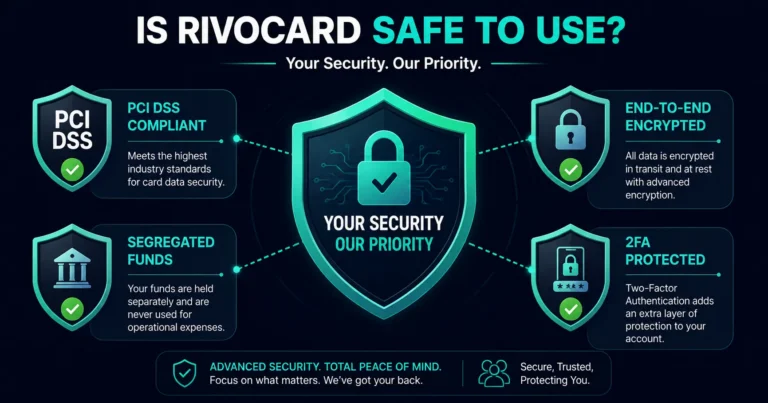
Quick answer: Yes — Rivocard is safe to use. The platform operates under PCI DSS-compliant payment security standards, encrypts all data in transit and at rest, holds user funds in segregated top-tier banking accounts separate from company funds, and supports two-factor authentication via hardware keys, FaceID, and TouchID. Transactions run on the Visa network, which carries standard card-network fraud protections. There are four security layers that matter when evaluating any financial platform: platform security infrastructure, regulatory compliance, fund protection, and account-level security controls. Rivocard addresses all four.
What “Safe” Actually Means for a Crypto Card Platform
When people ask whether a crypto card is safe, they typically mean four distinct things — and each requires a separate answer:
1. Is my money safe? Will funds I deposit be protected, not misappropriated, and available when I need them?
2. Is my data safe? Are my personal and financial details protected against breaches and unauthorized access?
3. Is the platform legitimate? Is this a regulated, compliant operation or an unregistered service that could disappear?
4. Is my card protected against fraud? If someone uses my card details without authorization, what happens?
Each of these has a different answer — and understanding all four gives a complete picture of Rivocard’s safety profile.
Layer 1: Fund Security — Where Your Money Goes
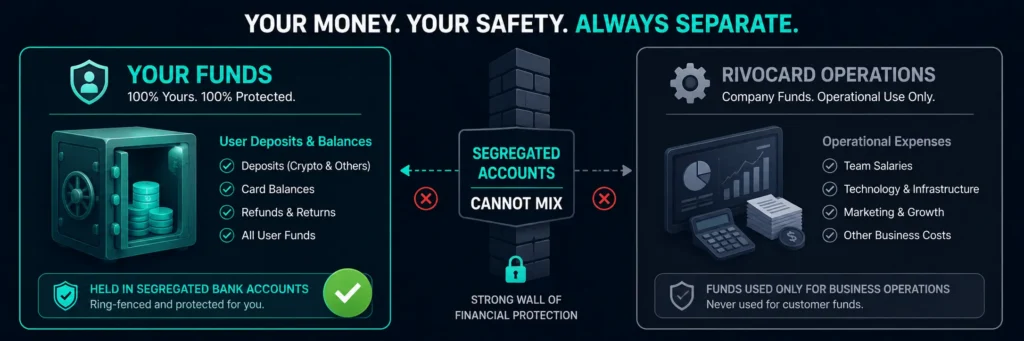
User funds are held in segregated top-tier banking accounts. This is the most important structural safety feature of any card platform.
Segregated accounts mean:
- Your deposited funds are kept completely separate from Rivocard’s own operational funds
- Even if Rivocard faces financial difficulties, your funds are not part of the company’s assets
- The platform cannot use your deposited balance for its own operations or investments
This is the same structure used by regulated payment institutions globally and is a fundamental requirement under most card program licensing frameworks. It is the primary protection against platform insolvency risk.
What this means in practice: If you deposit $500 USDT to your Rivocard wallet, that $500 (in its converted fiat form) sits in a segregated banking account — not commingled with Rivocard’s revenue or operational capital.
Layer 2: Payment Security — PCI DSS Compliance
Rivocard operates under PCI DSS (Payment Card Industry Data Security Standard) compliance. PCI DSS is the global security standard mandated by Visa, Mastercard, and the payment card industry for any entity that processes, stores, or transmits card data.
PCI DSS compliance requires:
- Encrypted cardholder data storage (card numbers are never stored in plain text)
- Secure network architecture with firewalls and access controls
- Regular security testing and vulnerability scanning
- Strict access controls — only authorized personnel can access card data
- Monitoring and logging of all access to card data systems
- Maintenance of an information security policy
The PCI DSS framework is audited by independent assessors. Operating under it is not a self-declaration — it requires meeting documented technical and operational requirements validated by third parties.
For users: PCI DSS compliance means the card number you use for purchases is processed through infrastructure that meets the highest payment industry security standards — the same standards used by banks, payment processors, and card networks globally.
Layer 3: Data Security — Encryption in Transit and at Rest
Every piece of data is encrypted both in transit and at rest.
Encryption in transit means all communication between your device (browser, mobile app) and Rivocard’s servers uses TLS (Transport Layer Security) — the same technology that protects online banking and HTTPS websites. Data intercepted during transmission cannot be read without the encryption keys.
Encryption at rest means data stored on Rivocard’s servers — your account information, transaction history, card details — is encrypted in the database. Even if an attacker gained physical access to the storage system, the data would be unreadable without decryption keys.
Together, these two encryption layers address the two primary attack vectors for data theft: interception during transmission and unauthorized access to stored data.
What this means for your personal data: Your email address, identity verification documents (if submitted for KYC), and transaction history are not stored in plain text. They are encrypted at rest and can only be decrypted by authorized systems with the correct keys.
Layer 4: Authentication — 2FA and Biometric Security
Secure your account with hardware keys, FaceID, or TouchID.
Rivocard supports multiple second-factor authentication options:
Hardware security keys (FIDO2/WebAuthn): Physical USB or NFC keys that must be present for login. The most phishing-resistant 2FA method available — even if an attacker steals your password, they cannot log in without the physical key.
FaceID (biometric facial recognition): Available on iOS devices. Uses the device’s secure enclave — the biometric data never leaves your device or gets transmitted to Rivocard’s servers.
TouchID (biometric fingerprint): Available on iOS and some Android devices. Same secure enclave model as FaceID — biometric data stays on device.
These authentication methods protect against the most common account takeover attack vectors: credential stuffing (using leaked username/password combinations from other breaches) and phishing (tricking users into entering credentials on fake login pages).
Recommendation: Enable 2FA immediately after creating your Rivocard account. A strong unique password plus hardware key or biometric authentication makes unauthorized account access practically infeasible.
Layer 5: Transaction Security — Visa Network Protections
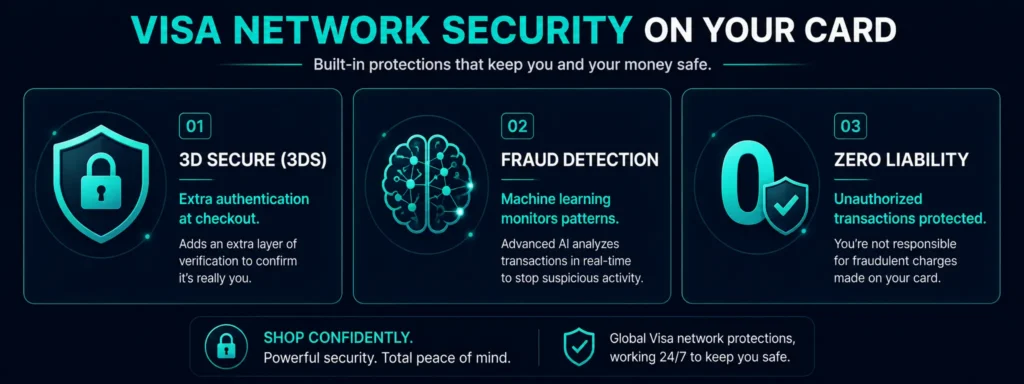
Rivocard issues cards on the Visa network. Every Rivocard purchase runs through Visa’s payment infrastructure, which includes:
3D Secure (3DS) authentication: An additional authentication step at checkout for online purchases. When you make an online purchase, a verification step (one-time code, biometric, or app confirmation) confirms you are the authorized cardholder. This significantly reduces unauthorized transaction risk.
Transaction monitoring: Visa and card issuers use machine learning-based fraud detection systems that flag unusual transaction patterns — large purchases in unusual locations, rapid sequential transactions, or activity inconsistent with your spending history.
Chargeback rights: If an unauthorized transaction does occur on your card, the standard card-network dispute process allows you to challenge it. Under Visa’s Zero Liability Policy, cardholders are not responsible for unauthorized transactions when reported promptly and when basic security practices were followed.
Card freeze capability: From your Rivocard dashboard, you can freeze your card instantly — blocking all further transactions — if you suspect unauthorized use. A new card with a new number can be created immediately.
The Crypto-Specific Security Dimension
Crypto card platforms have a security dimension that traditional bank cards do not: the on-chain deposit step. When you send cryptocurrency to your Rivocard wallet, you are making an irreversible blockchain transaction. This step is outside Rivocard’s control — the security of the deposit depends on you:
Address verification is critical. Always copy-paste the deposit address. Never type it manually. Verify the first and last 4 characters after pasting — malware exists that replaces clipboard contents with attacker-controlled addresses.
Network matching is critical. Sending TRC-20 USDT to an ERC-20 address (or any cross-network mismatch) results in lost funds that Rivocard cannot recover. The blockchain transaction goes to a different address on a different network.
Source wallet security. The security of your on-chain deposit also depends on the security of the wallet or exchange you send from. A compromised exchange account or wallet seed phrase can result in unauthorized transfers before funds ever reach Rivocard.
Once funds are deposited and converted to a fiat wallet balance, they are under Rivocard’s security controls (encrypted storage, PCI DSS infrastructure, segregated accounts). The on-chain portion of the journey is the user’s responsibility.
What Rivocard Cannot Protect Against
Honest safety assessments include limitations:
Your account credentials. If you use a weak password that gets compromised in a data breach at another service, and you reuse that password on Rivocard, your account is vulnerable. Enable 2FA and use a unique strong password to address this.
Your device. If your phone or computer is compromised by malware, an attacker may be able to access your Rivocard dashboard even with 2FA enabled (through session token theft). Keep your devices updated and avoid installing software from untrusted sources.
The on-chain deposit step. As described above — blockchain transactions are irreversible and Rivocard cannot recover funds sent to wrong addresses or networks.
Market risk on volatile assets. The dollar value credited to your wallet for Bitcoin or Ethereum deposits is determined at confirmation time. Market movements between send and confirmation are not a security risk — they are a market risk inherent to volatile asset deposits.
Practical Security Checklist for Rivocard Users
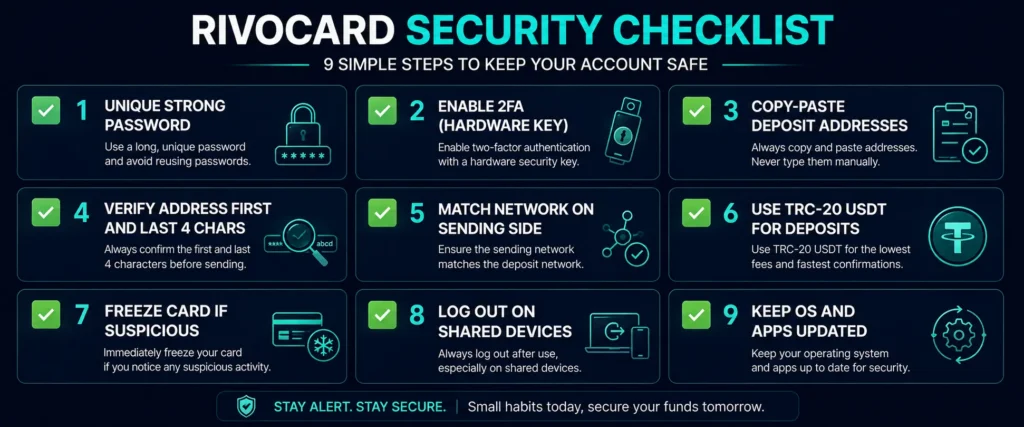
These steps make your Rivocard account as secure as it can practically be:
- ✅ Use a unique, strong password (16+ characters, not reused elsewhere)
- ✅ Enable 2FA — hardware key preferred, biometric acceptable
- ✅ Always copy-paste deposit addresses, never type manually
- ✅ Verify deposit address first and last 4 characters after pasting
- ✅ Always match the network on the sending side to the network shown in dashboard
- ✅ Use TRC-20 USDT for deposits where possible (fastest, cheapest, least error-prone)
- ✅ Freeze your card immediately if you suspect unauthorized access
- ✅ Log out of dashboard sessions on shared or public devices
- ✅ Keep your phone’s operating system and apps updated
FAQs
Is Rivocard safe to use?
Yes. Rivocard is PCI DSS compliant, encrypts all data in transit and at rest, holds user funds in segregated top-tier banking accounts separate from company funds, and supports two-factor authentication including hardware keys, FaceID, and TouchID. Transactions run on the Visa network with standard card-network fraud protections.
Is my money protected if something happens to Rivocard?
User funds are held in segregated banking accounts separate from Rivocard’s operational funds. This means your deposited balance is not commingled with the company’s own capital and is protected from company financial difficulties.
What is PCI DSS and why does it matter for Rivocard?
PCI DSS (Payment Card Industry Data Security Standard) is the global security standard mandated by Visa and Mastercard for any entity handling card data. PCI DSS compliance requires encrypted data storage, secure network architecture, regular security testing, and strict access controls — validated by independent auditors. Rivocard’s payment processing operates under this standard.
Is my personal data encrypted on Rivocard?
Yes. All data is encrypted both in transit (using TLS — the same technology protecting online banking) and at rest (encrypted in storage). Your personal information, identity documents, and transaction history cannot be read in plain text even by unauthorized access to Rivocard’s storage systems.
What two-factor authentication options does Rivocard support?
Rivocard supports hardware security keys (FIDO2/WebAuthn — the most phishing-resistant 2FA method), FaceID (biometric facial recognition via device secure enclave), and TouchID (biometric fingerprint via device secure enclave). Enable 2FA immediately after creating your account.
What happens if someone uses my Rivocard without authorization?
Freeze your card immediately from the dashboard — this blocks all further transactions instantly. Then report the unauthorized transaction through Rivocard support. Visa’s Zero Liability Policy protects cardholders from unauthorized transactions when reported promptly and when basic security practices were followed.
Can Rivocard recover funds sent to the wrong address or network?
No. Blockchain transactions are irreversible — once a transaction confirms on-chain, it cannot be reversed by any party. Always verify deposit addresses by copying and pasting, and confirm the network on your sending wallet matches the network shown on your Rivocard deposit page before confirming any transaction.
Is it safe to store a large balance in my Rivocard wallet?
The wallet balance (in fiat, after crypto conversion) is held in segregated banking accounts under PCI DSS-compliant infrastructure. For very large balances, enabling all available security features (strong unique password, hardware key 2FA) is recommended. The same principles apply as any digital financial account — the platform’s security is strong, but account-level security depends on your credentials.
Does Rivocard share my data with third parties?
Rivocard’s privacy practices follow applicable data protection regulations. Identity verification data submitted for KYC is processed as required by AML/KYC compliance frameworks. Check Rivocard’s current privacy policy at rivocard.com for the complete data handling disclosure — platform policies are updated periodically.
How does the Visa network protect my Rivocard transactions?
Visa’s network includes 3D Secure (3DS) authentication for online purchases, machine-learning fraud detection that flags unusual transaction patterns, and the Visa Zero Liability Policy protecting cardholders from unauthorized transactions. Every Rivocard purchase runs through these protections as a standard Visa card transaction.
Get Started
Confident in the security model? Create your account — card ready in under 2 minutes. Get started with Rivocard →
