
Quick answer: Creating a Rivocard account takes only a few minutes. You sign up with your email, get a virtual card issued instantly — no KYC required for spending up to $20,000 — and can fund it with crypto and start spending right away. Identity verification is only needed if you plan to spend beyond that threshold.
If you’ve been reading about how a crypto prepaid card works and you’re ready to actually try one, this is the walkthrough — what to expect, what you’ll need, and the few things worth knowing before you start.
Before You Start: What to Have Ready
For most users, signup needs almost nothing:
- A working email address you have access to right now.
- A crypto wallet or exchange account with funds ready to use. You don’t need this to create the account, but you’ll want it ready to fund your card right after.
- A valid government-issued photo ID — optional. Only required if you plan to spend over $20,000. Most users skip this step entirely.
If you have your email and a funded wallet ready, the whole signup typically takes well under ten minutes.
The Sign-Up Process, Step by Step
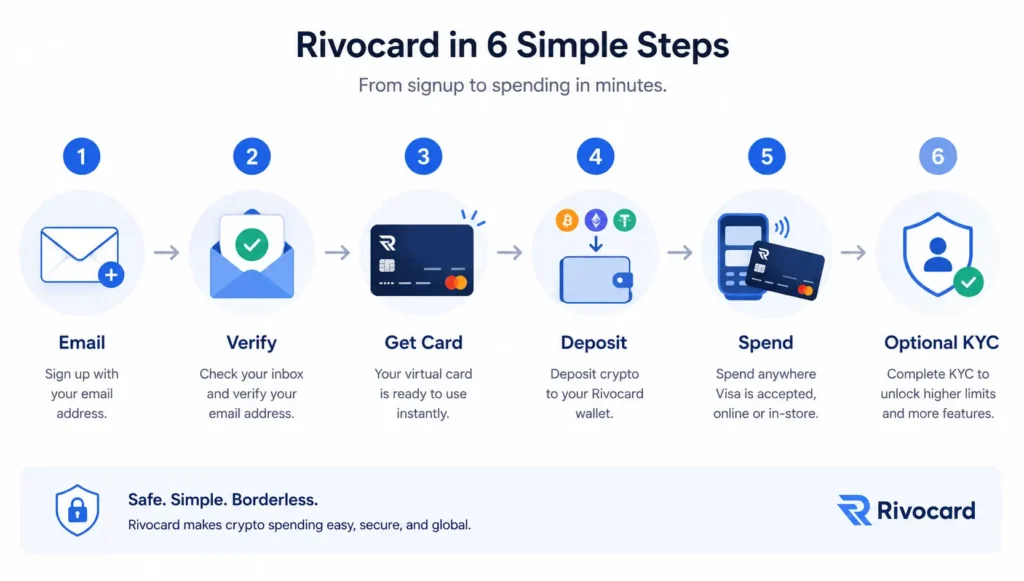
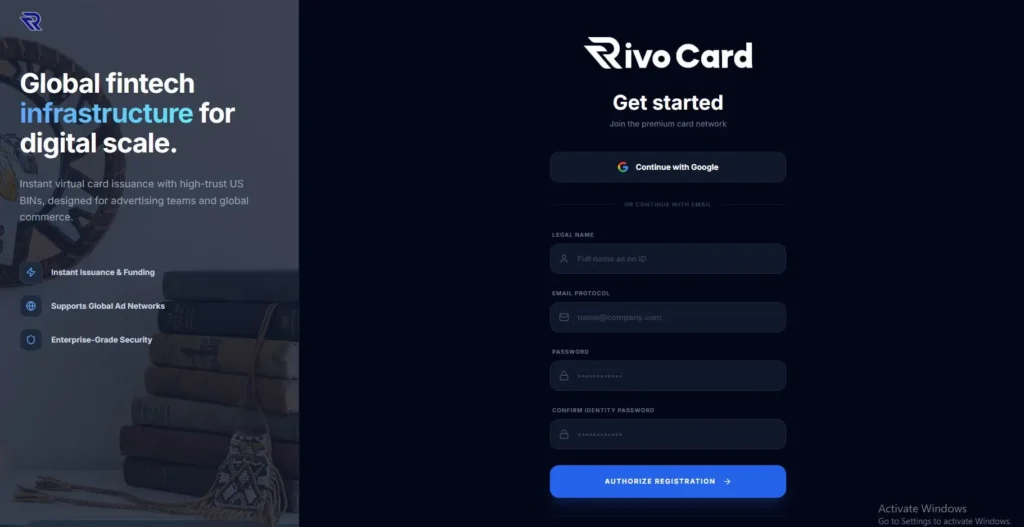
Step 1: Go to the Rivocard signup page and enter your email. Visit rivocard.com (virtual card funded by crypto) and click the [Sign Up / Create Account] button. You’ll enter your email address and choose a strong password — use a unique one, not one you’ve reused elsewhere, since this account will eventually be connected to spending power.
Step 2: Verify your email. You’ll receive a confirmation email within seconds. Open it and click the verification link to activate your account. If you don’t see it within a couple of minutes, check your spam folder — confirmation emails from financial services occasionally land there.
Step 3: Get your virtual card instantly — no KYC required. Once your email is verified, your virtual card is issued immediately. This is one of the things that makes Rivocard different from most crypto cards: you don’t have to complete ID verification before you can spend. You’ll see your card details (number, expiry, CVV) in your dashboard, and you can start using the card right away — up to a generous spending threshold of $20,000 without any KYC submitted at all.
This works for the vast majority of users. KYC only becomes necessary if you intend to spend beyond that limit (covered as an optional step below).
Step 4: Deposit crypto to fund your card. With the card created, the next step is loading it with crypto. From your dashboard:
- Select the cryptocurrency you want to deposit (BTC, ETH, USDT, etc.)
- Copy the deposit address shown — double-check the network matches the asset you’re sending
- Send the crypto from your wallet or exchange to that address
Once the blockchain confirms the transaction, your fiat balance appears in your account. Confirmation time depends on the network — typically seconds for Tron USDT, several minutes for Bitcoin.
Step 5: Start spending. Your card is now fully usable anywhere Visa or Mastercard is accepted: online purchases, subscriptions, digital services, and through Apple Pay or Google Pay for contactless in-person payments.
Step 6 (optional): Complete KYC to unlock higher spending limits. If your spending needs go beyond the $20,000 threshold, you’ll be prompted to complete identity verification. This is a standard regulatory requirement for higher-volume accounts and typically involves:
- Uploading a photo of a government-issued ID
- Taking a real-time selfie that the system matches against your ID photo
- Confirming basic personal details (full name, date of birth, residential address)
Verification usually completes in minutes for clear, well-lit submissions. Once approved, your higher spending tier unlocks immediately. Most users will never need this step.
What You Can Do Immediately After Signup
The reason this matters: with most crypto card providers, signup means waiting through verification before you can do anything useful. With Rivocard, signup and spending happen on the same screen:
- Use the virtual card online — anywhere Visa or Mastercard is accepted, including subscriptions, online retailers, and digital services
- Add it to Apple Pay or Google Pay — turning your phone into a contactless payment device
- Spend up to $20,000 with no KYC submitted at all
- Top up whenever you need more balance — repeating the deposit step
Want to know exactly what every fee will look like before you start spending? See the full fee breakdown
What You’ll Need (Quick Checklist)
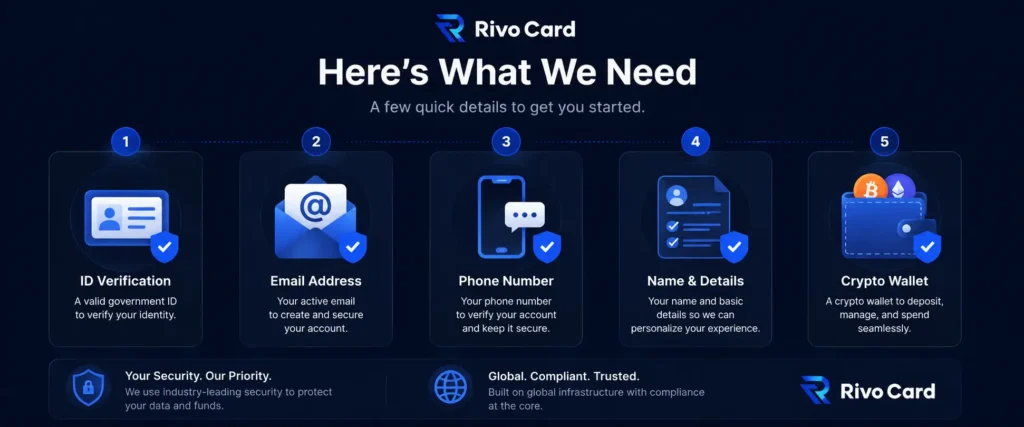
For a standard signup (no KYC needed):
- ✅ A working email address you can access right now
- ✅ A strong, unique password
- ✅ A crypto wallet or exchange account ready to fund the card
If you plan to spend over $20,000 and need KYC verification:
- ✅ Government-issued photo ID (passport, national ID, or driver’s license)
- ✅ Phone with a working camera for the selfie verification step
- ✅ Your full legal name, date of birth, and current residential address as they appear on your ID
Common Signup Mistakes to Avoid
Most signups go through without issue, but here are the few things worth getting right the first time:
- Reusing a weak or breached password from another site. Use a unique one — this account will eventually hold spendable balance.
- Missing the email verification step. The card isn’t issued until you click the verification link in your inbox.
- Sending crypto on the wrong network. When depositing, the network must match the asset type — sending USDT on the wrong network can result in lost funds with no way to recover them.
- Assuming your balance updates instantly after depositing. It updates after blockchain confirmation, which depends on the network — seconds for Tron USDT, several minutes for Bitcoin.
If you do go through optional KYC for higher limits, additional issues to watch for: using a shortened name instead of the legal name on your ID, submitting an expired ID, or uploading blurry/poorly lit photos. These are the most common reasons KYC takes longer than necessary.
How Long Does the Whole Process Actually Take?
For a standard signup: usually under ten minutes from clicking “Sign Up” to spending your first balance. Most of that time is the blockchain confirmation on your deposit, not anything on Rivocard’s side.
If you go through optional KYC for higher limits, add a few minutes for ID upload and selfie verification — most well-lit, clear submissions clear in minutes.
Is It Safe to Sign Up?
Your account is handled under standard financial-grade encryption and stored per PCI DSS compliance requirements — the same standard banks and major card networks use. You can read more about Rivocard’s specific security measures if that’s a primary concern before signing up.
FAQs
Do I need to verify my identity to create a Rivocard account?
No. You can sign up, get a virtual card issued instantly, and spend up to $20,000 without submitting any ID verification. KYC is only required if you plan to spend beyond that threshold.
Is there a fee to create a Rivocard account?
Account creation itself doesn’t carry the same fees as actually using the card. For full fee details, see the Rivocard fees breakdown
How fast can I start spending after signing up?
Your virtual card is issued the moment you verify your email — typically within seconds. The only remaining step before spending is funding the card with crypto, which depends on blockchain confirmation time (seconds for fast networks like Tron USDT, several minutes for slower ones like Bitcoin).
What if I want to spend more than $20,000?
You can complete optional KYC verification from your dashboard at any time to unlock a higher spending tier. This involves submitting a government-issued ID and a real-time selfie. Verification typically completes in minutes for clear submissions.
What happens if my KYC verification fails?
This only applies if you’ve opted into KYC for higher limits. The most common cause of failure is poor photo quality or a mismatch between submitted details and the ID. You’ll typically get a chance to retry with a corrected submission.
Can I have more than one Rivocard account?
Standard practice across regulated card issuers is one account per verified identity once KYC is on file. Creating duplicate accounts under the same identity typically results in all of them being suspended.
Can I sign up from any country?
Available countries are determined by which jurisdictions Rivocard is licensed to operate in. Check the live supported-countries list to confirm coverage in your location.
Do I need to fund the card immediately after signup?
No — the card stays valid in your account ready for whenever you choose to fund it. There’s no expiry or “use it or lose it” timer on an unfunded card.
Ready to get started? Create your Rivocard account →
