
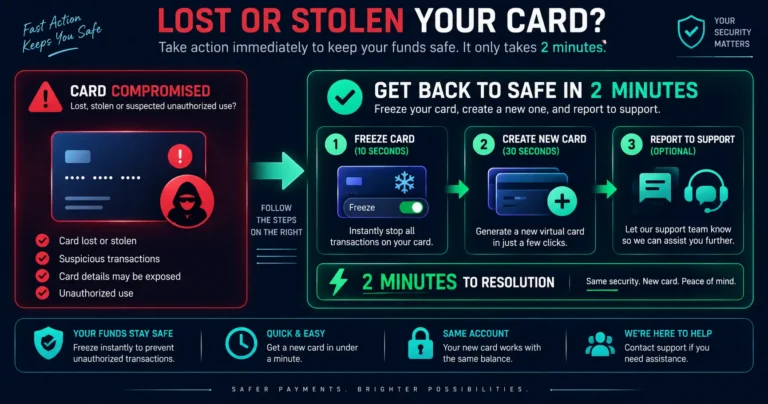
Quick answer: A virtual crypto card cannot be physically lost or stolen — there is no plastic to misplace. What can be compromised is the card’s credentials: the card number (16 digits), expiry date, and CVV. If these details are accessed by an unauthorized party and used fraudulently, act immediately: freeze the card from your Rivocard dashboard, create a new virtual card with a new number, update payment methods at affected merchants, and report unauthorized transactions to Rivocard support. The advantage of virtual cards: freezing and replacing takes under 2 minutes, not 5-10 business days. This guide covers how virtual card credentials can be compromised, the immediate response steps, and how to prevent future incidents.
Why Virtual Cards Cannot Be Physically Stolen (But Can Be Compromised)
A physical debit card can be stolen from your wallet, skimmed at an ATM, intercepted in the mail, or lost. A virtual card has none of these physical vulnerabilities. The only thing that can be “stolen” is the card’s digital credentials.
Ways virtual card credentials can be compromised:
1. Merchant data breach: The most common cause. You used your Rivocard at an online merchant, and that merchant’s payment system was later breached. The attackers obtained stored card details.
Mitigation: Use one-card-per-merchant or per-category isolation. If each merchant has a unique card number, a breach at one merchant exposes only that card’s number, not all your cards.
2. Phishing: You entered card details on a fake website impersonating a legitimate merchant. The fake site captured the details.
Mitigation: Always verify you are on the correct website before entering card details. Look for HTTPS, check the domain name carefully (fake sites use similar-looking domains).
3. Malware on your device: Keylogging or screen-capture malware on your computer captured the card details when you viewed or entered them.
Mitigation: Use reputable antivirus software. Keep your operating system and browser updated. Avoid entering card details on shared or public computers.
4. Shoulder surfing: Someone observed your screen when you displayed card details from your Rivocard dashboard.
Mitigation: View card details only in private. Do not display card details in public places or shared workspaces.
5. Compromised Rivocard account: If your Rivocard login credentials are compromised, an attacker could access your dashboard and view card details.
Mitigation: Use a strong, unique password for your Rivocard account. Enable any two-factor authentication options offered by Rivocard.
Immediate Steps If Your Card Is Compromised
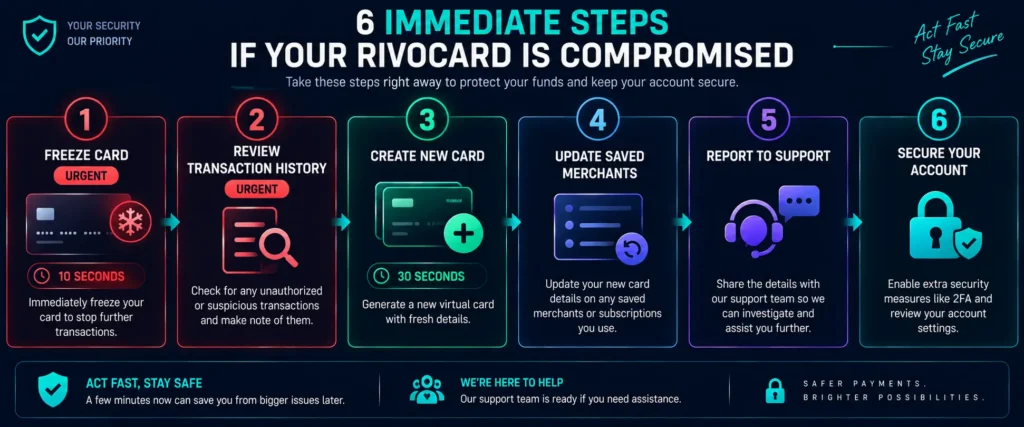
If you notice unauthorized transactions on your Rivocard, or have reason to believe your card details were stolen:
Step 1: Freeze the card immediately. Log into your Rivocard dashboard from a device you trust. Navigate to the compromised card. Toggle the freeze control to frozen. This blocks all new charges — purchases, Apple Pay, and any other transaction attempt — within seconds.
Step 2: Review recent transaction history. On the frozen card, review recent transactions. Identify all unauthorized charges (transactions you did not make). Note the date, amount, and merchant for each unauthorized transaction.
Step 3: Create a new virtual card. From your dashboard, create a new virtual card. This card has a completely new 16-digit number, new expiry date, and new CVV. Fund it from your wallet for your ongoing spending needs.
Step 4: Update saved payment methods. Any subscription service, delivery app, advertising platform, or merchant that had the old card number saved needs to be updated with the new card details. Make a list of all places the old card was saved and update each.
Step 5: Report unauthorized transactions to Rivocard support. Contact Rivocard support through your dashboard or the official support channel. Provide: the frozen card’s last 4 digits, the unauthorized transaction details (date, amount, merchant), and confirmation that you froze the card.
Step 6: Consider your account security. If you believe your Rivocard account itself was compromised (not just the card number), change your Rivocard account password immediately and contact support.
The 2-Minute Replacement Advantage
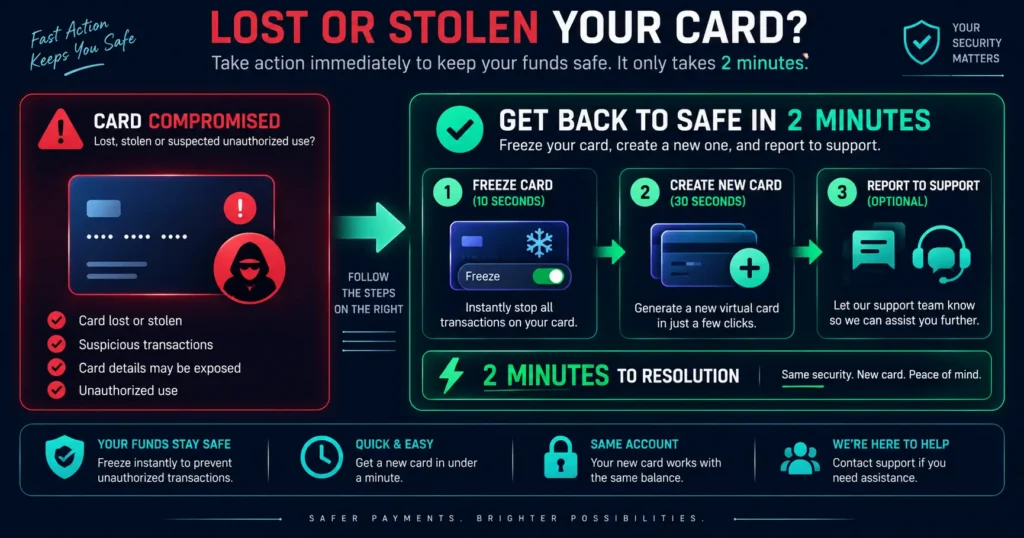
Compare the response to a physical card compromise vs a virtual card compromise:
Physical card stolen:
- Call bank to report stolen card: 10-20 minutes on hold
- Bank cancels card: card is dead immediately (good) but so is any Apple Pay until replaced
- New card manufactured and mailed: 5-10 business days
- Card arrives, activation required
- Total time with no card access: 5-10 business days
Virtual Rivocard compromised:
- Freeze the card: 10 seconds from your dashboard
- Create a new card: 30 seconds
- Fund the new card: 30 seconds
- Add new card to Apple Pay: 3-5 minutes
- Update saved merchants: variable (depends on how many merchants had the card saved)
- Total time with no card access: effectively zero — the new card is immediately usable
Virtual card compromise response is fundamentally faster than physical card replacement. The only friction is updating saved payment methods at each merchant — which is unavoidable regardless of card type.
What the Visa Zero Liability Policy Covers
Rivocard issues cards on the Visa network. The Visa Zero Liability Policy protects cardholders from unauthorized transactions when:
- The cardholder did not authorize the transaction
- The cardholder took reasonable steps to keep card details secure
- The unauthorized use is reported promptly
If unauthorized transactions are confirmed, Rivocard works through the Visa dispute process to recover those funds.
“Reported promptly” is important: Report unauthorized transactions as soon as you notice them. Delayed reporting can affect the outcome of a dispute. If you check your card history infrequently, set a reminder to review transactions at least weekly.
How to Prevent Virtual Card Credential Theft
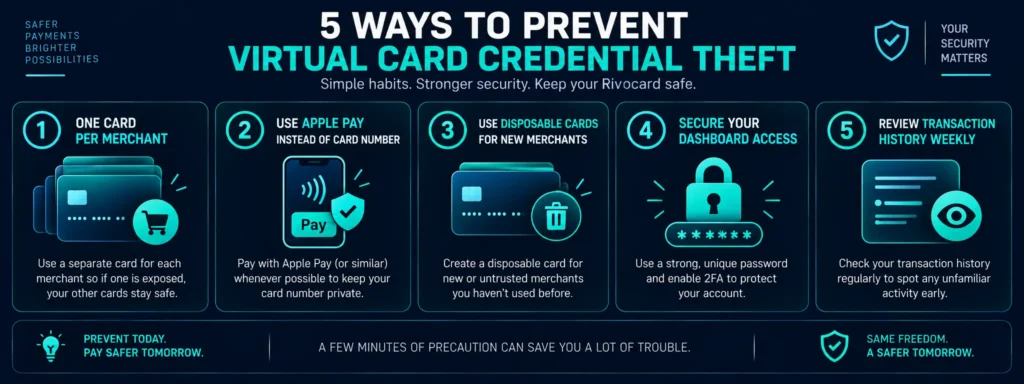
Use one card per merchant (per-merchant isolation): If each merchant has its own unique Rivocard card number, a breach at any one merchant exposes only that card — not all your cards, not your wallet balance, not your other cards. Creating new cards on Rivocard is free and takes seconds. This is the most effective single practice for reducing exposure.
Use Apple Pay or Google Pay where possible: Contactless payments via Apple Pay never transmit your actual card number to the merchant. The merchant receives a device-specific token. Even if that merchant’s payment system is entirely compromised, your real Rivocard card number was never exposed.
Use dedicated disposable cards for new or untrusted merchants: For a first purchase at a new merchant or a one-time purchase from an unfamiliar site, create a disposable Rivocard, fund it with exactly the purchase amount, complete the purchase, and freeze or delete the card. The number is never used again anywhere else.
Keep your Rivocard dashboard access secure: Your Rivocard account is the source of your card credentials. Secure it with a strong, unique password. Do not use the same password as other accounts. Enable two-factor authentication if available.
Review your card transaction history regularly: Check your Rivocard cards’ transaction history at least weekly. Early detection of unauthorized charges minimizes losses. Most unauthorized transactions appear within days of the credential theft event.
Be careful where you display card details: When viewing card details in your Rivocard dashboard, do this only on a trusted device in a private location. Close the card details view after copying what you need. Do not leave card numbers visible on screen when not in use.
What Happens to Your Rivocard Wallet Balance?
A compromised card number affects only the balance on that specific card — not your Rivocard wallet balance and not any other cards.
Why this is important: If your card is compromised and an attacker makes purchases, they can spend only what is loaded on that specific card. Your main Rivocard wallet balance is separate and protected. Your other virtual cards are not affected.
This is the core security advantage of Rivocard’s per-card balance model: each card is an isolated spending unit. The maximum loss from any single card compromise is the balance on that card.
Minimizing the maximum potential loss: Do not overload individual cards. Keep each card funded with approximately what you need for its purpose for the current period. A card funded with $2,000 has a maximum compromise loss of $2,000. A card funded with $50 has a maximum compromise loss of $50.
If Your Phone Is Lost or Stolen (Apple Pay)
If your phone is lost or stolen and you use Apple Pay with your Rivocard:
Immediate steps:
- From any other device, log into your Rivocard dashboard and freeze the card that is in Apple Pay on the lost phone
- Use iCloud (appleid.apple.com) to mark your iPhone as lost, which disables Apple Pay on the device
- If you are confident the phone is gone, use iCloud to remotely erase the phone — this removes all Apple Pay cards from the device
The Rivocard card freeze blocks Apple Pay: Freezing the card in your Rivocard dashboard blocks all transactions from that card, including Apple Pay tokens on the lost phone. This is immediate and does not require you to have physical access to the phone.
Create a new card if needed: If the phone is erased or recovered without the original card, create a new Rivocard card and add it to Apple Pay on your replacement or recovered device.
FAQs
Can a virtual crypto card be lost or stolen?
Not physically – there is no plastic card to lose. The card credentials (number, expiry, CVV) can be compromised if a merchant you used suffers a data breach, if you are phished by a fake site, or if your device has malware. The response is to freeze the card and create a new one with new credentials.
What should I do immediately if my Rivocard is compromised?
Freeze the card from your Rivocard dashboard (10 seconds). Create a new virtual card with a new number (30 seconds). Fund the new card (30 seconds). Report unauthorized transactions to Rivocard support. Update saved payment methods at merchants with the new card details.
How long does it take to replace a compromised Rivocard?
Under 2 minutes to have a new, funded card ready for use. Compare to 5-10 business days for a physical card replacement. The new card has a completely new number, expiry date, and CVV – no connection to the compromised card.
Does freezing a Rivocard also disable Apple Pay?
Yes. Freezing a Rivocard card blocks all transactions at the network level, including Apple Pay attempts using that card’s token on any device. The freeze is immediate and requires no separate action on any device.
What is the most effective way to prevent virtual card credential theft?
Use one card per merchant (per-merchant isolation). If each merchant has a unique card number, a breach at one merchant exposes only that card. Other cards, your wallet balance, and all other merchants are completely unaffected. Card creation on Rivocard is free and unlimited.
If my card credentials are stolen, can the attacker access my crypto wallet?
No. A compromised Rivocard card number gives an attacker access only to the balance on that specific card – nothing else. Your Rivocard wallet balance, other virtual cards, and your external crypto wallets and exchanges are completely separate and unaffected.
Does the Visa Zero Liability Policy cover stolen virtual card credentials?
Yes. The Visa Zero Liability Policy applies to virtual Visa cards. Unauthorized transactions made with your Rivocard card number are covered when you did not authorize them, took reasonable steps to secure the credentials, and report the unauthorized use promptly.
How do I report unauthorized transactions on my Rivocard?
Freeze the card first (prevents further unauthorized charges). Then contact Rivocard support through your dashboard or the official support channel at rivocard.com. Provide the card’s last 4 digits, the unauthorized transaction details (date, amount, merchant), and confirm you froze the card.
What happens to my card balance if someone uses my card without permission?
An unauthorized party can spend up to the card’s current balance. This is why keeping individual card balances modest (funding for specific purposes rather than large general balances) limits potential losses from any single compromise. Your wallet balance and other cards are unaffected.
Can I get my money back after unauthorized transactions on a Rivocard?
Report unauthorized transactions promptly to Rivocard support. Rivocard will initiate the dispute process through the Visa network under the Visa Zero Liability Policy. Resolution timelines depend on the specific transactions and the dispute investigation.
Get Help
If your card is compromised: freeze it now, create a new card, and contact support. Go to your Rivocard dashboard
